Shipping CartPilot: Deployment & Production Operations
Take Google ADK 2 agents to production. Deploy CartPilot on Google Cloud Run and Vertex AI Agent Runtime with CI/CD and observability.
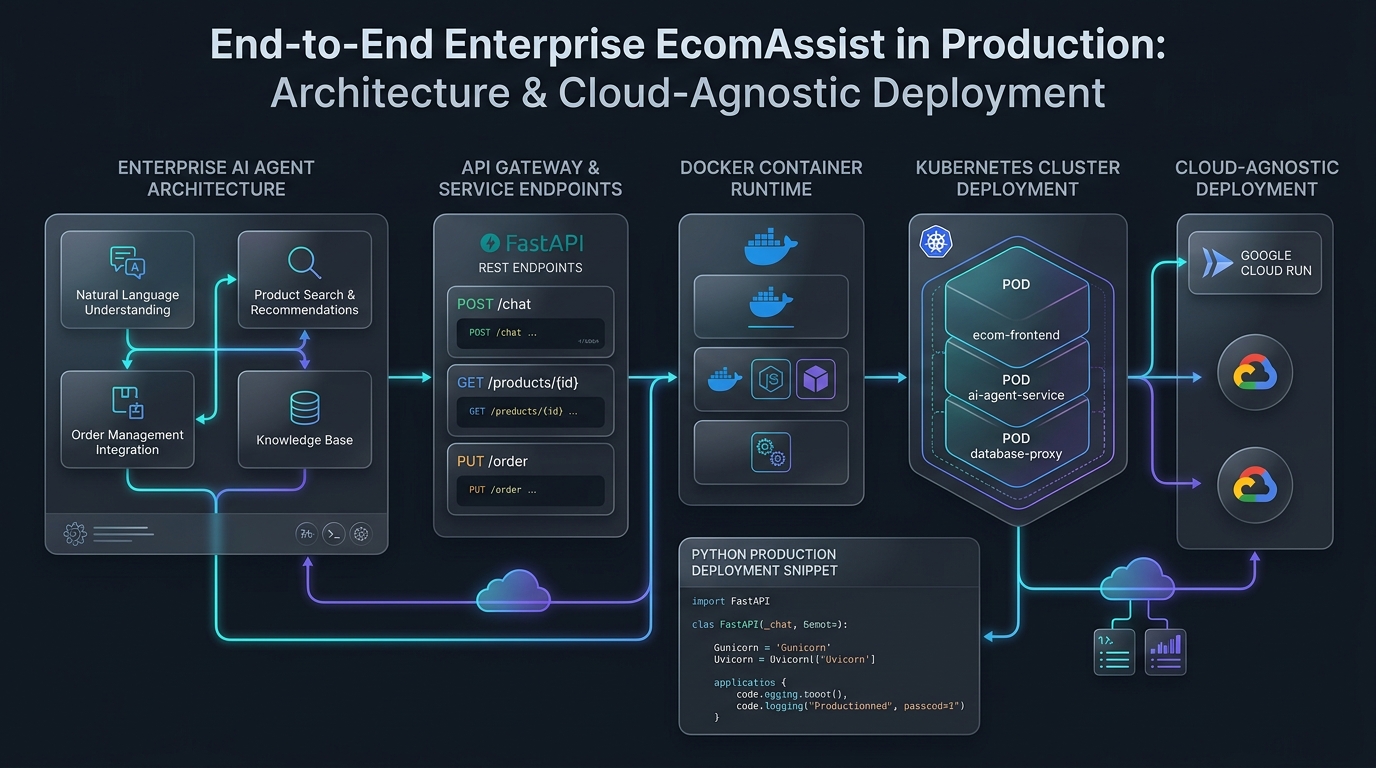
Shipping CartPilot: Deployment & Production Operations
📦 Companion Code: View the complete, runnable code on GitHub:
part14in the cartpilot-adk2-series repository.
Fourteen parts in, CartPilot has search, cart, checkout, support, human-approved refunds, resilient payments, cost tracking, guardrails, an eval suite, and a real external integration. This final part takes it from adk web on your laptop to a running production service.
Two deployment targets, one CLI
ADK's CLI handles both of the paths most teams choose between:
- Cloud Run — a general-purpose serverless container platform. You get a Dockerfile (ADK can generate one, or build one yourself for CI control), fast scale-to-zero, and full control over the container.
- Agent Runtime (the managed service historically called Vertex AI Agent Engine — check adk.dev/deploy for current naming, as this terminology has been shifting) — a fully managed, serverless, Python-first host purpose-built for agents, with no container to manage yourself and tighter native integration with Vertex AI's monitoring and evaluation tooling.
Cloud Run — deploy straight from source:
#!/usr/bin/env bash
# deploy_cloud_run.sh
set -euo pipefail
PROJECT_ID="${PROJECT_ID:?Set PROJECT_ID env var}"
REGION="${REGION:-us-central1}"

adk deploy cloud_run \
  --project="$PROJECT_ID" \
  --region="$REGION" \
  --service_name="cartpilot" \
  --with_ui \
  --trace_to_cloud \
  cartpilot
--with_ui deploys the ADK dev UI alongside the API server — useful early on for live debugging, worth turning off once you're confident and want a leaner production surface. --trace_to_cloud wires up distributed tracing automatically.
If you want an explicit, version-controlled build step instead of letting the CLI build from source implicitly (e.g., inside a CI pipeline):
# Dockerfile
FROM python:3.13-slim
WORKDIR /app
COPY requirements.txt .
RUN pip install --no-cache-dir -r requirements.txt
RUN adduser --disabled-password --gecos "" cartpilot && \
    chown -R cartpilot:cartpilot /app
COPY . .
USER cartpilot
ENV PATH="/home/cartpilot/.local/bin:$PATH"
CMD ["sh", "-c", "adk api_server --host 0.0.0.0 --port $PORT cartpilot"]
Agent Runtime — no Dockerfile at all:
#!/usr/bin/env bash
# deploy_agent_engine.sh
set -euo pipefail
PROJECT_ID="${PROJECT_ID:?Set PROJECT_ID env var}"
REGION="${REGION:-us-central1}"

adk deploy agent_engine \
  --project="$PROJECT_ID" \
  --region="$REGION" \
  --display_name="CartPilot" \
  --trace_to_cloud \
  cartpilot
Both commands package your cartpilot/ folder, build it, and deploy it — CartPilot's actual agent code doesn't change between targets at all.
Which one for CartPilot
Cloud Run is the right default for most teams starting out: full control, familiar container tooling, cheaper at low-to-moderate traffic thanks to scale-to-zero. Agent Runtime earns its cost when you want tighter native integration with Vertex AI's model monitoring and evaluation pipelines, or enterprise controls like VPC Service Controls and IAM-scoped access baked in rather than assembled yourself. For CartPilot specifically — a customer-facing shopping assistant with bursty, unpredictable traffic (spikes during sales, quiet overnight) — Cloud Run's scale-to-zero economics are the more natural fit; move to Agent Runtime if compliance or Vertex-native observability requirements outweigh that cost advantage later.
Operational concerns, tied back to what we already built
Deployment isn't the finish line — it's where the instrumentation from earlier parts starts actually earning its keep:
- Autoscaling. Cloud Run scales on request concurrency automatically; set
--min-instancesabove zero if cold-start latency during traffic spikes (a sale going live) is unacceptable for your shoppers, accepting the always-on cost that comes with it. - Monitoring and alerting.
--trace_to_cloudgets you distributed tracing, but Part 10's cost-tracking callback and Part 11's audit logging are what let you build alerts that actually mean something: a spike insupport_agent's per-conversation cost, an unusual rate ofprocess_refundapproval requests, a drop in tool-call success rate. Wire the structured logs from Part 11 into Cloud Logging-based alerting rather than only watching infrastructure-level metrics like CPU and memory, which won't tell you an agent has started behaving badly. - Rollback strategy. Cloud Run's revision-based deployment lets you split traffic between old and new revisions and roll back instantly if a deploy misbehaves — pair this with Part 12's eval suite as a pre-deploy gate (run it in CI before the deploy step, not after) so most regressions never reach a revision that gets traffic at all.
- Session storage. We've used
InMemorySessionServicethroughout this series for simplicity — it doesn't survive a restart or work across multiple instances. Production CartPilot needs a persistent, shared session backend before traffic scales beyond a single instance; check current ADK docs for the supported production session service options.
Closing note on this series
Across fourteen parts, CartPilot went from a single agent with no tools to a coordinator delegating across specialists, with structured outputs, deterministic workflows, human oversight on high-stakes actions, resilience, measured cost, guardrails, automated evaluation, a real external integration, and a production deployment. The throughline worth carrying into your own ADK 2 projects isn't any single pattern here — it's the habit of asking, at every step, whether a capability needs an LLM at all, which model tier it actually needs if so, and how you'd know if it stopped working. That discipline is what separates a demo from something you'd trust with real orders and real refunds.