LangGraph Advanced Patterns: Multi-Agent Systems, Human-in-the-Loop, and Persistence
Parts 1–3 covered LangGraph fundamentals and a working tool-using agent. This post covers multi-agent architectures (supervisor, swarm, hierarchical), human approval with interrupt(), and production-grade persistence.
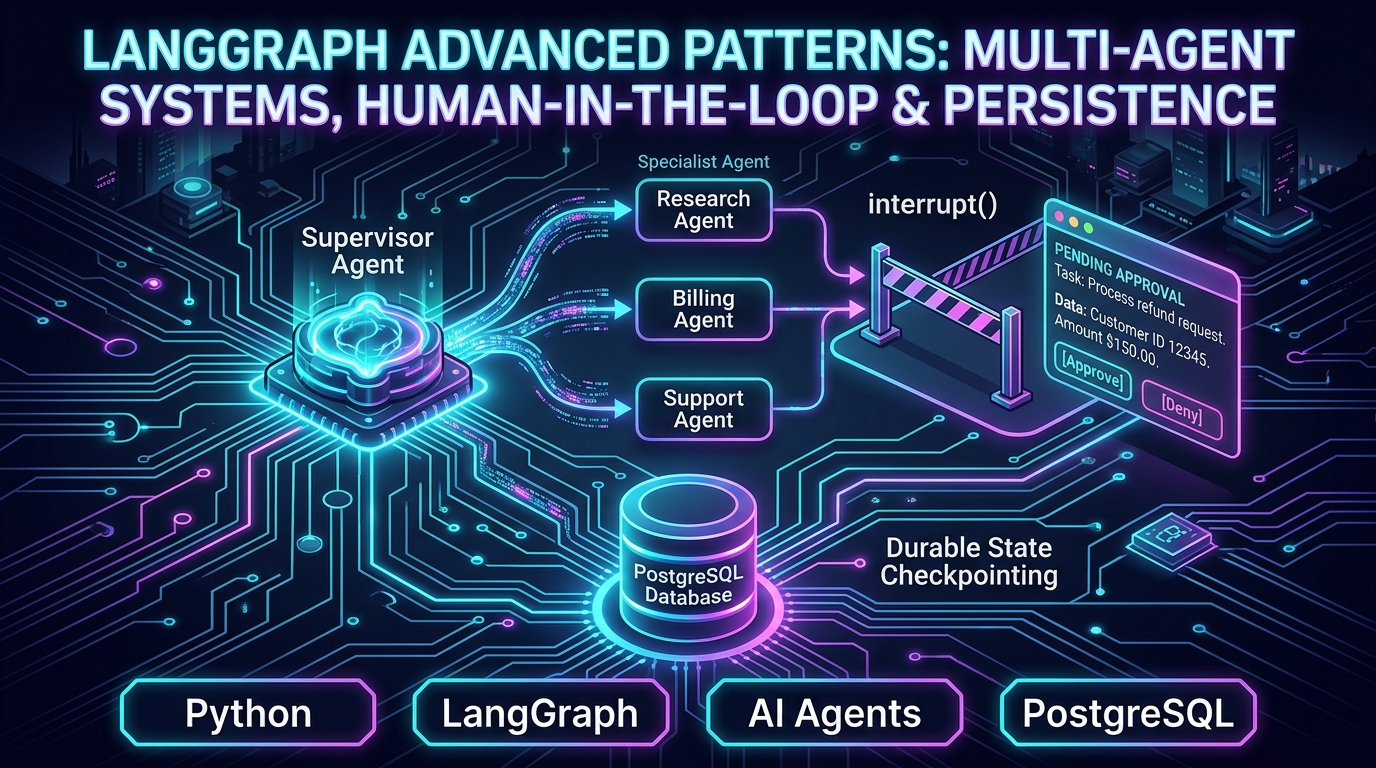
LangGraph Series, Part 4: Advanced Patterns — Multi-Agent Systems, Human-in-the-Loop, and Persistence
Part 4 of 7. Parts 1–3 covered the fundamentals and a working tool-using agent. This post covers the three things that separate a prototype from something production-ready: multiple coordinated agents, human approval steps, and durable state.
📦 Companion Code:
part4_advanced_patterns.pyin the langgraph-ai repository — uses SQLite for persistence so it runs with zero infrastructure setup. SwapSqliteSaverforPostgresSaverin production; the graph code stays identical.
Multi-agent architectures: three patterns, and when each one actually fits
A single agent with a big toolbox works until the tools and instructions needed for different tasks start pulling in incompatible directions — a customer-support agent that also has to do deep research and also has to draft marketing copy ends up with a bloated prompt trying to be three things at once, and its quality on each individual task suffers. Splitting into specialized agents fixes this, but "multi-agent" isn't one pattern — it's three, with different trade-offs.
Supervisor pattern
One "router" node examines the request and decides which specialist to hand it to; specialists don't talk to each other directly, only through the supervisor.
# The supervisor uses structured output: the LLM MUST return a valid JSON object
# matching the schema — no free-text parsing, no ambiguity.
classification_llm = llm.with_structured_output(
    {
        "title": "RouteDecision",
        "type": "object",
        "properties": {"next_agent": {"enum": ["research_agent", "billing_agent"]}},
        "required": ["next_agent"],
    }
)

def supervisor(state: State) -> dict:
    user_msg = state["messages"][-1].content
    result = classification_llm.invoke(
        f"Decide which specialist should handle this request: '{user_msg}'. "
        "Use 'billing_agent' for anything about payments, refunds, or charges. "
        "Use 'research_agent' for factual or informational questions."
    )
    # result is a plain dict; e.g., {"next_agent": "billing_agent"}
    return {"next_agent": result["next_agent"]}


def route_to_specialist(state: State) -> str:
    # Conditional-edge router: reads the supervisor's decision from state
    # and returns the node name to visit next.
    return state["next_agent"]  # "research_agent" or "billing_agent"
Why reach for this: when you have distinct tasks that need different prompts, tools, or model choices (e.g., "research needs a large context window, billing needs structured output"), and the classification decision is simple enough to be made at the entry point. This is the pattern to start with — it's the easiest to test, trace, and reason about, because control flow always goes supervisor → specialist → supervisor, never anywhere else.
The cost: the supervisor has to know about every specialist, which means every time you add an agent, you update the supervisor's routing logic and its prompt. This is manageable for 3–5 specialists and starts to get unwieldy at 15+.
Swarm / peer-to-peer pattern
Agents can hand off directly to each other based on their own judgment, without a central router — e.g., a research agent that decides mid-task "actually, this needs the billing agent" and hands off itself.
Why reach for this: when the right specialist for the next step can only be determined by actually starting the work (rather than from the initial request), and you're willing to trade a more complex audit trail for that flexibility. Real examples: a triage agent that starts answering a question, realizes it needs account data, and hands off to the account agent mid-response without going back to a central supervisor.
The cost: you lose the single-entry-point clarity of a supervisor, which makes tracing and debugging harder ("which agent decided to hand off, and why" requires reading through the full state trace), and it's easier to create circular handoffs if agents aren't carefully designed.
Hierarchical (supervisors of supervisors)
For larger systems: a top-level supervisor routes to mid-level supervisors, each of which manages its own team of specialists (implemented as subgraphs — see below).
Why reach for this: purely a scaling concern. A single supervisor comparing across 15 specialist agents has a much harder classification job (and a much longer prompt) than a two-level structure where a top-level supervisor picks a department (support, sales, engineering) and a department-level supervisor picks the specialist within it. This mirrors how human organizations scale for the same reason.
The decision rule: start with a single supervisor. Move to hierarchical only when you can point to a specific classification-accuracy problem caused by too many peer options. Reach for swarm only when you have a concrete example of a handoff that genuinely can't be decided until a specialist is mid-task.
Subgraphs: why nest a graph inside a graph at all
research_subgraph = research_builder.compile()

main_builder.add_node("research_agent", research_subgraph)
A compiled graph can be used as a node inside another graph. Why bother, instead of just adding more nodes to one big graph? Encapsulation. The research agent's internal steps (search → read → summarize → maybe search again) are an implementation detail the rest of the system shouldn't need to know about — from the main graph's point of view, "research_agent" is a single black box. This means the research team can change their subgraph's internals without touching the main graph, and you can unit-test the research subgraph completely independently.
Human-in-the-loop: why interrupt() and not a simple "ask for confirmation" prompt
You could imagine a simpler approach: just have the agent output "Do you approve this? (yes/no)" as its response, and treat the user's next message as the answer. Why does LangGraph instead give you a dedicated interrupt() mechanism?
from langgraph.types import interrupt, Command

def human_review(state: State) -> dict:
    """
    Calls interrupt() which PAUSES the graph and serialises the checkpoint to
    SqliteSaver. The process can exit here; the state survives on disk.
    When a human later calls graph.invoke(Command(resume={...}), config),
    the graph resumes from this exact point with the provided decision payload.

    Interrupt payload sent to the caller:
        {"question": str, "draft": str}

    Resume payload expected via Command(resume={...}):
        {"approved": bool}
    """
    decision = interrupt(
        {
            "question": "Approve this billing response before it's sent to the customer?",
            "draft": state["draft_response"],
        }
    )
    if decision["approved"]:
        return {"messages": [("assistant", state["draft_response"])]}
return {"messages": [("assistant", "This request needs a human follow-up before we can respond.")]}# First call: runs until interrupt(), then pauses — returns partial state
graph.invoke({"messages": [("user", "Can I get a refund?")]}, config)
# Later: resume exactly where it paused, with the human's decision
graph.invoke(Command(resume={"approved": True}), config)The reasons interrupt() matters more than it looks:
- The approver often isn't the end user. A refund approval usually needs to go to a supervisor's dashboard, not back to the customer as a chat message.
interrupt()freezes execution in a way your application can route to any UI — a Slack message, an admin dashboard, an approval queue — completely decoupled from the conversational interface the customer sees. - The pause can last an arbitrary amount of time. With checkpointing (below), the graph run isn't "waiting" in any server's memory — it's fully suspended to disk. A pause of 3 seconds and a pause of 3 days behave identically, and no server process needs to stay alive for either.
- The state at the pause point is exactly preserved, including everything computed before the interrupt — so resuming doesn't require re-deriving any context, and the approver's decision is the only new input needed.
Where to put interrupts, as a design decision: the right question isn't "where might the agent be wrong" but "where would being wrong be expensive or irreversible." An interrupt on every action is a support agent nobody wants to use; an interrupt on none of them is a liability incident waiting to happen. The right placement is on actions with real-world consequences that are hard to undo — money movement, outbound communication, data deletion.
The full supervisor graph, assembled
import sqlite3
from langgraph.checkpoint.sqlite import SqliteSaver  # file-backed, survives restarts
from langgraph.types import interrupt, Command

# Specialist nodes
def research_agent(state: State) -> dict:
    """Answers factual questions. No human approval needed."""
    response = llm.invoke(state["messages"])
    return {"draft_response": response.content}

def billing_agent(state: State) -> dict:
    """Drafts billing responses. Does NOT send — human_review gates that."""
    response = llm.invoke(
        state["messages"]
        + [("system", "You are a billing specialist. Draft a response, but do not take any action yet.")]
    )
    return {"draft_response": response.content}

def finalize_research(state: State) -> dict:
    """Promote the research draft into conversation history (no approval needed)."""
    return {"messages": [("assistant", state["draft_response"])]}

# Graph wiring
graph_builder = StateGraph(State)
graph_builder.add_node("supervisor", supervisor)
graph_builder.add_node("research_agent", research_agent)
graph_builder.add_node("billing_agent", billing_agent)
graph_builder.add_node("human_review", human_review)
graph_builder.add_node("finalize_research", finalize_research)

graph_builder.add_edge(START, "supervisor")
graph_builder.add_conditional_edges("supervisor", route_to_specialist)

# Research path: no money involved → no approval → finalize and done.
graph_builder.add_edge("research_agent", "finalize_research")

# Billing path: money involved → mandatory human review before sending.
graph_builder.add_edge("billing_agent", "human_review")

graph_builder.add_edge("finalize_research", END)
graph_builder.add_edge("human_review", END)

# SqliteSaver writes a full checkpoint to disk after every node.
# State survives process restarts — a human can approve a billing draft
# hours or days after the initial request.
_conn = sqlite3.connect("langgraph_part4_demo.db", check_same_thread=False)
checkpointer = SqliteSaver(_conn)
graph = graph_builder.compile(checkpointer=checkpointer)
Notice finalize_research: research responses skip the human-review gate and go straight here, which simply promotes draft_response into the conversation history. Without this node, the draft would exist in state but never appear in messages — the caller would get the user's own question as the "last message," not the LLM's answer. This pattern (write draft to a field, then promote it to messages in a separate node) is intentional: it keeps the drafting node's output inspectable before it becomes part of the permanent conversation record.
Running it: both paths with real output
def main() -> None:
    print("--- Path 1: research question, no approval needed ---")
    config1 = {"configurable": {"thread_id": "demo-research-1"}}
    # supervisor → research_agent → finalize_research → END
    result1 = graph.invoke({"messages": [("user", "What's the difference between REST and GraphQL?")]}, config1)
    print(result1["messages"][-1].content)
    # Output:
    # REST vs GraphQL: The core difference is that REST is an architectural
    # style where the server defines fixed resources and response shapes, while
    # GraphQL is a query language where the client specifies exactly what data
    # it wants. [... full comparison of caching, versioning, type system ...]

    print("\n--- Path 2: billing question, pauses for human approval ---")
    config2 = {"configurable": {"thread_id": "demo-billing-1"}}
    # supervisor → billing_agent → human_review calls interrupt() and PAUSES.
    result2 = graph.invoke({"messages": [("user", "Can I get a refund for my last charge?")]}, config2)

    # graph.get_state() reads the persisted checkpoint from SQLite.
    # state.next is non-empty when the graph is paused waiting to resume.
    state = graph.get_state(config2)
    if state.next:
        pending = state.tasks[0].interrupts[0].value
        print(f"[PAUSED — awaiting human decision] Draft: {pending['draft']}")
        # Output:
        # [PAUSED — awaiting human decision] Draft:
        #   Subject: Your Refund Request — Additional Information Needed
        #   Hi [Customer Name], Thank you for reaching out ...
        #   [draft requested clarification details; no action taken on account yet]

        # Simulate human approving. In production this comes from a review
        # dashboard, possibly hours later — the SQLite file keeps state alive.
        result2 = graph.invoke(Command(resume={"approved": True}), config2)
        print(f"[RESUMED] Final: {result2['messages'][-1].content}")
        # Output:
        # [RESUMED] Final: [same approved draft sent to customer]
The key things to observe in Path 2:
graph.invoke()returned before the conversation was complete — becauseinterrupt()suspended execution mid-graphgraph.get_state(config2)reads the checkpoint from SQLite and tells you the graph is waiting at"human_review"Command(resume={...})resumes from exactly the paused point, injecting the human's decision as the "return value" ofinterrupt()- No node re-ran; no context was re-derived; the SQLite file held everything
Persistence: why the checkpointer choice is a production decision, not a technical detail
MemorySaver (used in Parts 2–3) keeps state in your Python process's memory. This breaks in three specific ways in production:
- Server restarts lose everything. A deploy, a crash, or an autoscale-triggered restart wipes every in-progress conversation and every pending human-approval interrupt.
- It doesn't work across multiple server instances. If you're running more than one instance behind a load balancer, a request handled by instance B can't see state saved by instance A.
- There's no audit trail. If a regulator, a customer, or your own team needs to know exactly what an agent saw and did for a specific case, in-memory state gives you nothing once the process exits.
# Development / single-server: SQLite — survives restarts, no extra infra
import sqlite3
from langgraph.checkpoint.sqlite import SqliteSaver

_conn = sqlite3.connect("myapp.db", check_same_thread=False)
checkpointer = SqliteSaver(_conn)
graph = graph_builder.compile(checkpointer=checkpointer)

# Production / multi-server: Postgres — durable, queryable, cloud-native
from langgraph.checkpoint.postgres import PostgresSaver

with PostgresSaver.from_conn_string("postgresql://user:pass@host/db") as checkpointer:
    checkpointer.setup()  # creates the checkpoint tables if they don't exist
    graph = graph_builder.compile(checkpointer=checkpointer)
Why Postgres specifically, over Redis or another store?
- Postgres — the right default when you need durability guarantees, complex querying over past runs for analytics/audit ("show me every interrupted refund over $1000 last month"), and you likely already run Postgres for the rest of your application.
- Redis — worth it when raw speed matters more than audit querying (very high-throughput, latency-sensitive workloads) and you're comfortable with its different durability model.
- SQLite — appropriate for a single-server deployment, an internal tool, or local development — not appropriate once you have more than one server instance.
The rule of thumb: if a paused conversation, a pending approval, or a completed run has any business, compliance, or debugging value beyond "did this one request succeed," you need durable persistence, and Postgres is the sensible default unless you have a specific reason to choose otherwise.
Sample Output
Running part4_advanced_patterns.py produces the following (live run, 2026-08-31 ✅):
--- Path 1: research question, no approval needed ---
# REST vs GraphQL

The core difference: REST is an architectural style where the server defines
fixed resources and response shapes, while GraphQL is a query language where the
client specifies exactly what data it wants.

[... full comparison table with REST vs GraphQL trade-offs, caching, versioning,
type system, real-time support, and when to choose each — truncated for brevity]

--- Path 2: billing question, pauses for human approval ---
[PAUSED — awaiting human decision] Draft to review:
  Subject: Your Refund Request — Additional Information Needed
  Hi [Customer Name], Thank you for reaching out ...
  [draft requested clarification details; no action taken on account yet]

[RESUMED] Final response: [same approved draft sent to customer]- Path 1 — supervisor → research_agent → finalize_research → END ✅ (no human approval gate triggered)
- Path 2 — supervisor → billing_agent → human_review (
interruptfired) ✅ graph.get_state()returnedstate.next = ("human_review",)✅Command(resume={"approved": True})resumed the graph ✅- Final message present in
result["messages"][-1]✅ - SQLite persistence (
SqliteSaver) — checkpoint survived across invocations ✅
What's next
Part 5 puts all of this together into one real, production-shaped implementation — a customer support triage agent — and walks through every architectural decision made in building it, not just the code.