Building Multi-Turn Conversations & State Management
Learn how conversational memory works in Large Language Models. Master message roles, state accumulation, session helpers, and persistent system instructions using the Gemini API.
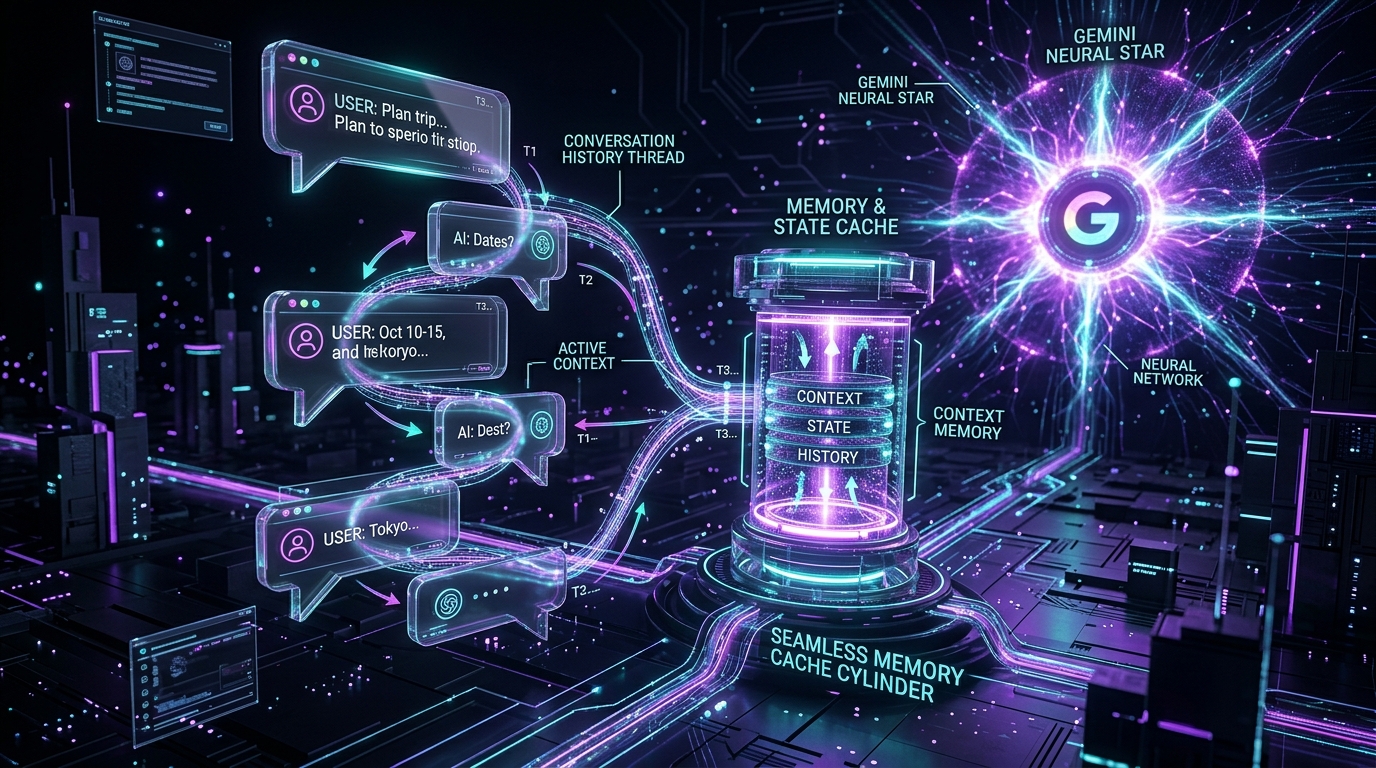
TL;DR: LLMs have zero memory between requests. To build a conversational AI assistant, your application must accumulate and send the entire history of user and model messages on every turn. In this guide, we explore the
ContentandPartprimitives in the Gemini SDK, write clean conversation helpers, and attach persistent system instructions.
📦 Interactive Notebook: Test and run this code live on GitHub:
02_conversation_history.ipynbin the ai-architect-foundation-gemini repository.
What You'll Learn
Why LLMs are stateless by design, how to structure multi-turn conversation arrays with role="user" and role="model", and how to steer agent personas and policies using system_instruction.
The Core Idea: The Illusion of Memory
When a user chats with a modern AI assistant, it feels as if the model is remembering their preferences and context. In reality, the model starts with a blank slate on every single API call.
Chat memory is an application-level pattern. On every turn:
- The user provides new input.
- The application appends the user's message to a growing history array.
- The entire history is dispatched to the model.
- The model generates a reply based on the full conversation thread.
- The application appends the model's reply to history for subsequent turns.
Message Roles in Gemini
In the Google GenAI SDK, conversations are represented as a list of types.Content objects. Each content entry specifies a role and one or more parts:
| Role | Meaning | Example |
|---|---|---|
"user" | Messages sent by the human user or caller. | "I want to check my return status." |
"model" | Messages and tool invocations generated by the AI. | "Certainly. What is your order number?" |
from google import genai
from google.genai import types

client = genai.Client()
model = "gemini-2.5-flash"

contents = []

# --- Turn 1: Initial User Inquiry ---
contents.append(
    types.Content(
        role="user",
        parts=[types.Part(text="I want to return the jacket I bought last week.")]
    )
)

response1 = client.models.generate_content(
    model=model,
    contents=contents
)

print("--- Turn 1 Model Response ---")
print(response1.text.strip())

# Append model's actual response to conversation state
contents.append(
    types.Content(
        role="model",
        parts=[types.Part(text=response1.text)]
    )
)

# --- Turn 2: User Follow-up with Order ID ---
contents.append(
    types.Content(
        role="user",
        parts=[types.Part(text="Sure, my order number is ORD-99214.")]
    )
)

response2 = client.models.generate_content(
    model=model,
    contents=contents
)

print("\n--- Turn 2 Model Response (With Accumulated Context) ---")
print(response2.text.strip())

# --- Execution Output ---
# --- Turn 1 Model Response ---
# I can certainly help you with returning your jacket. To get started and verify
# your return window, could you please provide your order number?
#
# --- Turn 2 Model Response (With Accumulated Context) ---
# Thank you for providing order number ORD-99214. I have verified your purchase of the jacket.
# To proceed with generating your pre-paid shipping label, could you let me know the reason for the return?
Building a Conversation Helper Pattern
In production applications, you do not build Content objects manually. You create clean abstraction helpers to manage the history lifecycle:
from google import genai
from google.genai import types

client = genai.Client()
model = "gemini-2.5-flash"

def add_user_message(history: list[types.Content], text: str) -> None:
    """Appends a user message to the conversation history."""
    history.append(
        types.Content(role="user", parts=[types.Part(text=text)])
    )

def add_model_message(history: list[types.Content], text: str) -> None:
    """Appends a model message to the conversation history."""
    history.append(
        types.Content(role="model", parts=[types.Part(text=text)])
    )

def chat(history: list[types.Content], system_instruction: str | None = None) -> str:
    """Dispatches the conversation history with optional system instructions."""
    config = (
        types.GenerateContentConfig(system_instruction=system_instruction)
        if system_instruction else None
    )

    response = client.models.generate_content(
        model=model,
        contents=history,
        config=config
    )

    reply = response.text or ""
    add_model_message(history, reply)
    return reply
Running an Interactive Multi-Turn Flow
# Session initialization
history = []

# Turn 1
add_user_message(history, "Hi! I ordered a blue jacket but received a red one.")
reply1 = chat(history)
print(f"Assistant: {reply1}\n")

# Turn 2
add_user_message(history, "My order number is ORD-44582.")
reply2 = chat(history)
print(f"Assistant: {reply2}\n")
System Instructions: Defining Persistent Behavior
A system instruction (or system prompt) sits above the conversation history. It defines the persona, operational constraints, and business rules that the model must uphold across all turns.
System instructions are passed via GenerateContentConfig(system_instruction=...) so they do not pollute the user/model message list:
system_prompt = """
You are EcommAssist AI, the customer support specialist for ModernWear.
Operating Guidelines:
1. Always maintain a professional, calm, and helpful demeanor.
2. Never guarantee a monetary refund before verifying the order status.
3. If information is missing (like order ID), ask for one missing detail at a time.
4. Keep all responses concise (under 75 words).
"""

history = []
add_user_message(history, "Can you immediately refund my order ORD-771?")
reply = chat(history, system_instruction=system_prompt)
print(reply)
State Storage Architectures
How should you persist conversation history in a real production system?
| Persistence Strategy | Read/Write Latency | Durability | Best For |
|---|---|---|---|
| In-Memory (Local) | < 1 ms | None (lost on restart) | Prototyping, CLI tools |
| Redis Cache | 1–3 ms | Configurable TTL | High-speed active chat sessions |
| PostgreSQL / SQL | 5–15 ms | Permanent ACID | Complete audit trails, analytics, compliance |
Key Takeaways
- State Is Managed by You: The model never stores state; every turn passes the full accumulated context.
- Distinct Message Roles: Keep
userandmodelroles structured so the LLM understands turn boundaries. - Use System Instructions for Guardrails: Set behavioral rules in
system_instructionrather than repeating them in every user turn.
What's Next
In Part 3: Controlling Creativity: Temperature & Stop Sequences, we explore how to control randomness, enforce determinism, and set exact token boundaries.